
PENTA TUNING STUDIO 3.0
After some sleepless nights and a few neglected emails (sorry customers),
Penta Tuning Studio 3.0 is finally here.
We've added a few goodies for you to explore so head on over to the changelog section below to see what's up!
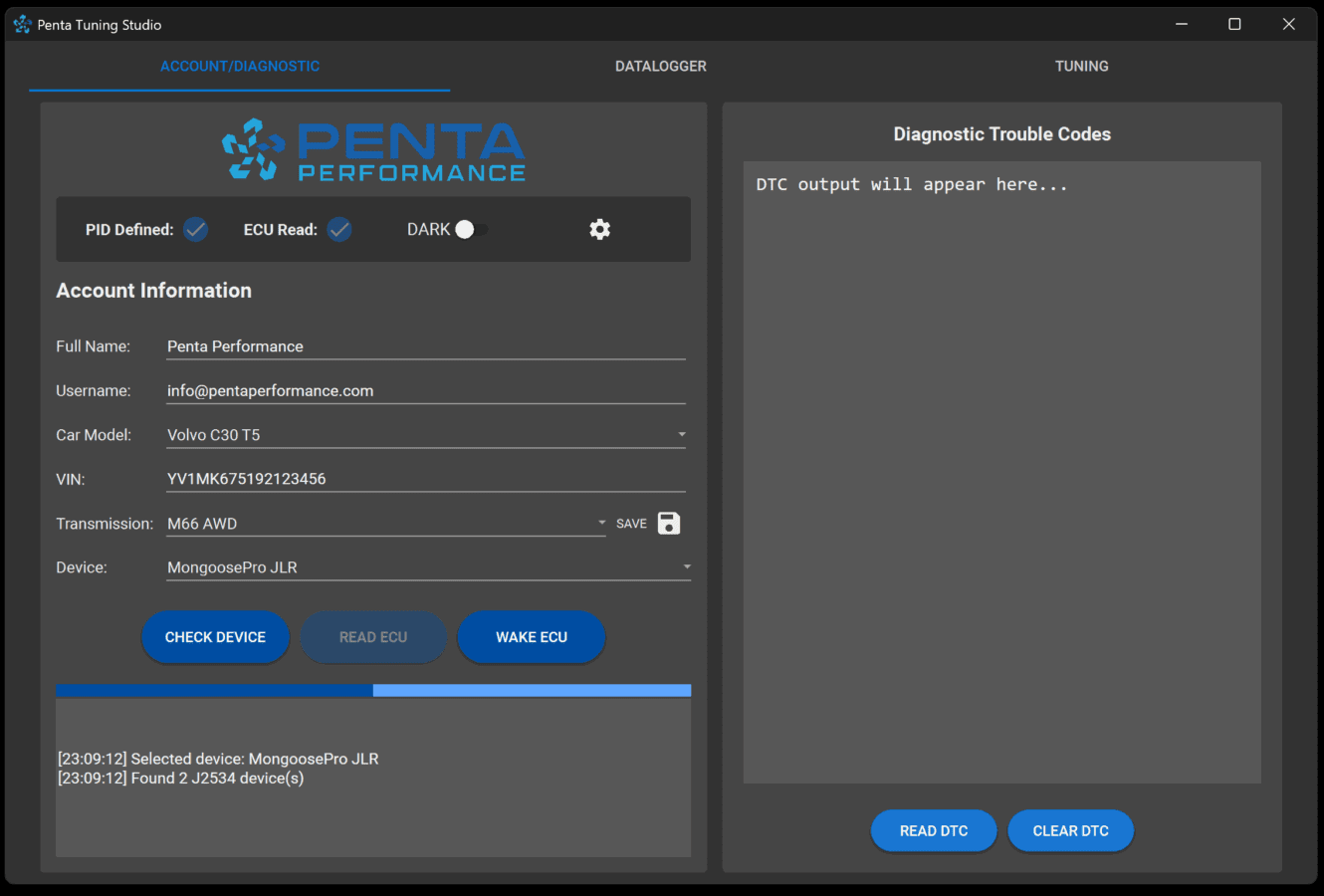
Advance Real-time Datalogger
Monitor your Volvo's performance in real-time with Penta Tuning Studio's advanced datalogger. Featuring live data visualization with dynamic graphs, you’ll gain instant insights into your vehicle's health and performance metrics.
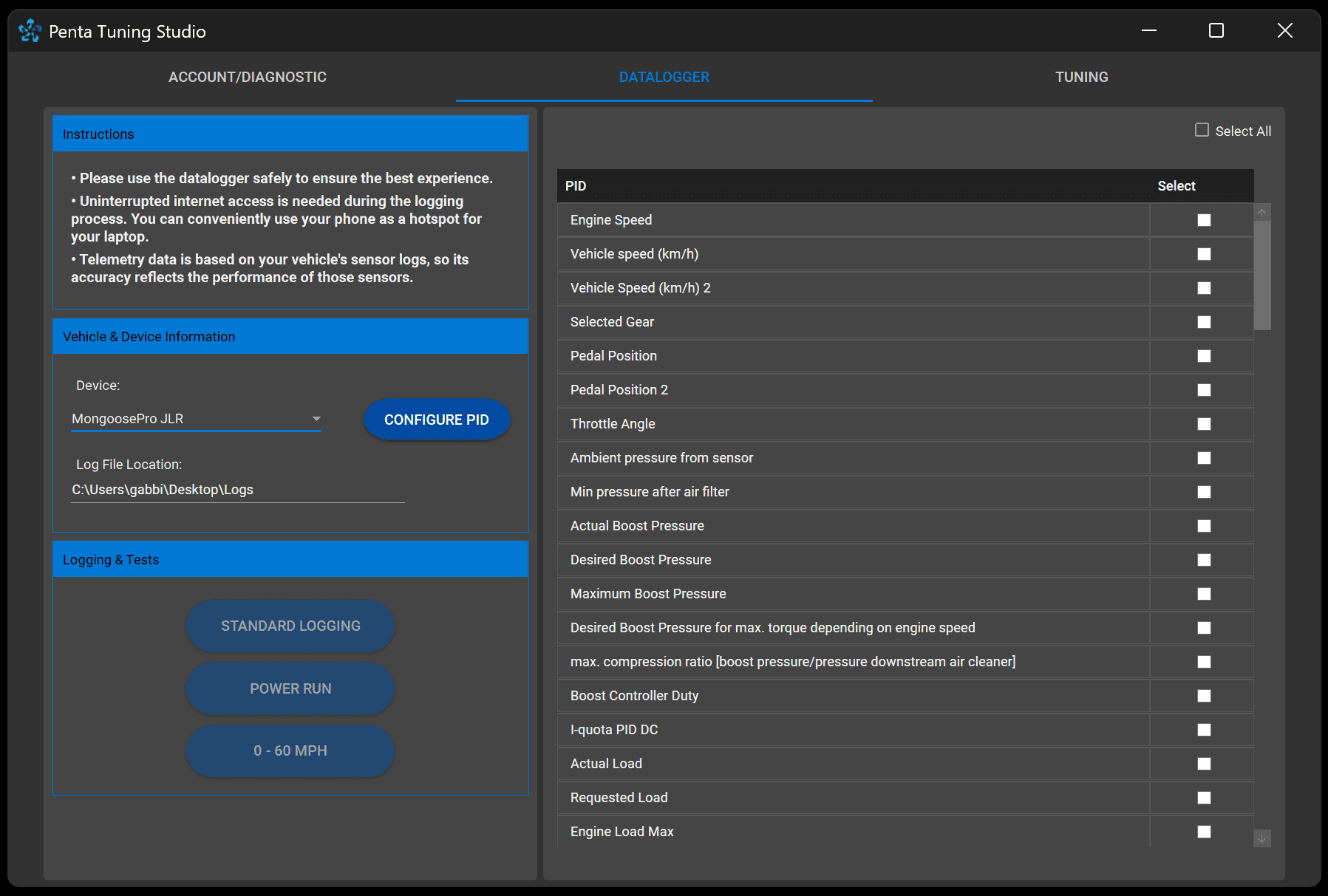
Intuitive Graphics, Precision at a Glance
This cutting-edge design combines intuitive graphics with seamless functionality, delivering real-time data visualization for P1 Volvo vehicles. The clean layout and easy-to-read telemetry graphs ensure users can monitor critical ECU parameters effortlessly, while the stylish button design enhances user interaction. It's the perfect balance of functionality and aesthetic appeal for professional automotive diagnostics.

FAQs
Here are some frequently asked questions.
Why is it Free? What's the catch.
For almost 2 decades, access to datalogging in the Volvo community has been hindered by closed doors and unnecessary barriers. Even today, it remains far from accessible. While VIDA has been somewhat useful, it falls short in terms of functionality and is notoriously difficult to set up on your PC.
The development of this software was driven by collaboration with fellow Volvo enthusiasts who shared the same goal. Many people contributed their time and effort to make this possible, and we’re proud to offer it as a free resource to the community.
Does this work with Volvo DiCE?
Yes, provided it is the "full" DICE version. Recently, there has been an influx of generic J2534 pass-through devices housed in the DICE casing. These may still work, but functionality is not guaranteed.
We suggest you try it out first thoroughly before you start flashing your ECU.
Which is better for your software? DiCE or your J2534 cable?
Our software was designed with our J2534 drivers in mind, ensuring optimal performance. While we’ve made it backwards compatible with DiCE, our J2534 device offers faster ECU read and write speeds. It also excels in datalogging, as it can recover from communication interruptions, whereas DiCE tends to timeout quickly. With DiCE, it’s not uncommon for datalogs to end prematurely due to something as simple as a loose USB connection. For the best experience, our recommended J2534 device is the ideal choice.
What Models are supported?
As of today, this logger supports most P1 T5 Models. Support for other models are also planned to be developed.
P2 models are already in the works and will be supported very soon.
Support for P3 vehicles will be started once the P2 vehicles are completed.
- Volvo C30 T5 (2007-onwards)
- Volvo S40 T5 (2004-onwards)
- Volvo V50 T5 (2004-onwards)
- Volvo C70 T5 (2006-onwards)
- Volvo S60R T5 (Coming Soon)
- Volvo V70R T5 (Coming Soon)
What are the Requirements?
System Requirements:
• Windows 10 / 11
• J2534 Drivers / DICE drivers
• 4GB RAM
• 65MB HD Space
Hardware:
J2534 Pass-Thru Device that supports:
- ISO CAN
- J2534 / J2534-1
- KWP 2000 (ISO 9141, ISO 14230)
- J1850 VPW
PCP J2534 Flash Tool, Mongoose / PRO JLR, Drewtech Cardaq
Does the software support MacOS/Linux?
As of now, we are only available for Windows. The reason being is that our device drivers are not yet available for the mentioned operating Systems.
What if I encounter a bug or issue?
For bugs and/or issues, we would appreciate it if you lodge a bug report at the link here.
You can also email them directly to us.
Do I need internet connection?
Yes. Like most modern apps, much of the processing is handled by our servers. This approach allows us to keep the app lightweight and efficient, with a small footprint on your device. An active internet connection is required for full functionality.
This setup also ensures that you always have access to the latest features and updates without needing to manually download large files. However, basic functions like viewing saved logs or previously loaded data can be accessed offline.
Downloads
Links to downloads below• C++ Runtime (Link above)
• Device Driver (Link above)
Latest Announcement
Penta Tuning Studio 3.0 is finally available!
New and improved Penta Tuning Studio!
This is a portable version. Meaning, installation is not required. You just extract the software to a folder and run it directly. No need to install.
Announcement: Penta Tuning Studio Beta Testing is Now Live!
We’re excited to announce that Penta Tuning Studio is ready for beta testing! After months of development and collaboration with the Volvo community, we’re inviting you to try out our new tuning and datalogging software.
What’s in the Beta?
- Advanced Datalogging: Capture and analyze real-time data with precision—completely free to use.
- ECU Flashing: Flashing support for new and existing Penta Performance customers.
- Custom Tuning: Tools for adjusting and optimizing your Volvo’s performance.
- Compatibility: Works with J2534 devices and DICE (backwards compatible).
Why Join the Beta?
- Test the software early and help us improve it with your feedback.
- Access advanced datalogging tools designed for Volvo enthusiasts.
- The datalogger is free to use, with no hidden costs—for now, and hopefully for the long term.
Important Notes:
- This is a beta release, so you may encounter bugs or unfinished features. Your feedback will help us make improvements.
- The datalogger is free to use, and we plan to keep it that way for the foreseeable future.
Changelogs
See versions belowImplemented New features and introducing the VATS leaderboard.
New Features:
- VATS Metrics and VATS Leaderboard
- Fully scalable Window
- Performance Metrics
Bug Fixes and Improvements:
- Window Logger Force Closing
- Window should Autosize to 85% of the window
- Plenty of Minor BugFixes
New Major Update! Both UI and backend has been heavily reworked. This is now running on .NET8.
New Features:
- Read and Clear Diagnostic Codes
- As per popular request - Dark Mode
- Datalogging Requests and uploads are now done inside the app
- ECU Recovery - In case you accidentally disconnected while Flashing
Improvements:
- Window size and scaling improvement
- Upgraded database system
- Updated framework
- Updated PID Configuration!
Bug Fixes:
- Window size improved for low resolution laptops
- Read ECU network bug fix
- +many more
New Feature: P2 ME7 Read/Flash Support
Improvement: Improved Power Run / Virtual Dyno
Bug Fix: Fixed DiCE integration with Logger. Fixed Corrupted Libraries preventing some clients from Reading ECU.
New Feature: Implemented Power Run
Improvement: Improved Server Communication
Bug Fix: Fixed bug with READ ECU button.
Bug Fix: Resolved issue with C++ Runtime. Included with Installer now.
New Feature: Real-time parameter monitoring during datalogging.
Improvement: Enhanced J2534 device compatibility for faster ECU communication.
Bug Fix: Resolved datalog saving issues.
Optimization: Reduced CPU usage during prolonged datalogging.